Documentation
Managing the plan
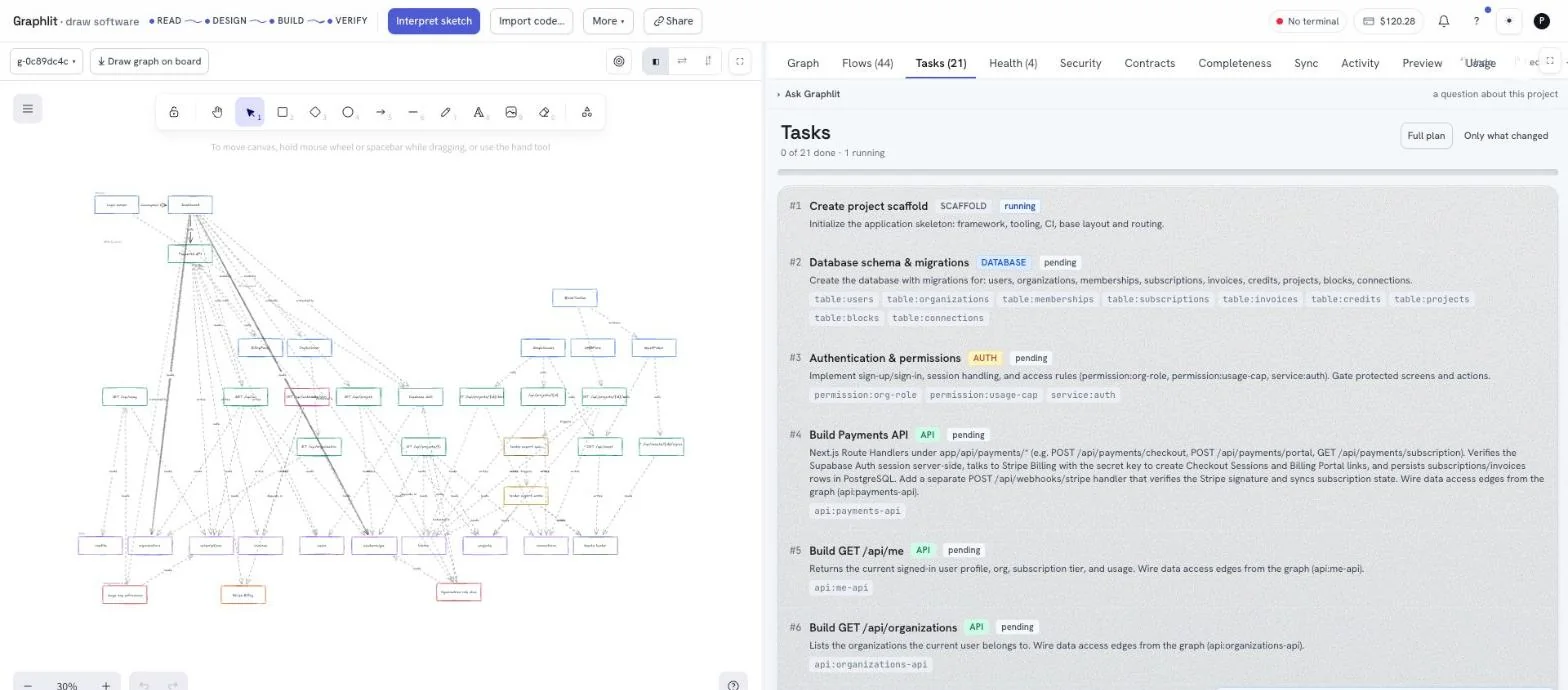
A plan is an ordered list of atomic tasks, each one scoped to part of the graph. Both surfaces read and write the same list.
Where a plan comes from
Press Generate tasks on the board and the graph becomes an ordered build plan. One task per piece of the system, each knowing which tasks must finish before it can start, and each naming the nodes it owns.
| Kind | What it builds |
|---|---|
scaffold | The application skeleton: framework, tooling, base layout and routing. Always first |
database | Schema and migrations for the tables in the graph |
auth | Sign-up, sign-in, sessions and the access rules that gate the protected screens |
api | One route handler per API node, with its request validation and its data-access edges wired |
screen | One screen end to end, with navigation and the calls the graph says it makes |
integration | An external service — a queue, a mailer, a payment provider |
testing | The end-to-end suite |
deploy | Getting it out |
Reading the plan in the terminal
graph tasks prints the plan for the current folder. It reads .vipl/tasks.json and makes no network call at all when that file is there — the plan in front of you is the one a build will actually run against.
And `graph run --all` builds the whole plan from here — no board, no browser, no button per task. It picks the next unblocked task, builds it, re-reads the plan, and repeats until there is nothing left or something fails.
graph tasks       # what is left
graph run --all   # build all of it
--remote | Ask the deployment instead of reading this folder's copy. |
--json | The whole plan as data — id, ordinal, title, kind, status, dependencies. |
--project ID | A project other than the folder's link. |
Status, and what moves it
| Status | Means | Set by |
|---|---|---|
pending | Not started | The plan when it is generated; graph undo |
running | A build is in flight | Execute, or graph run, when the work is claimed |
passed | Built, and it stayed inside its scope | The runner, on a clean result |
failed | The agent stopped early, timed out, or went outside its scope | The runner |
.vipl/tasks.json, and the board reads it — so a build that happened on your laptop is visible in the browser without anybody copying anything.Dependencies
Tasks are ordered screens-first: right after the scaffold, every screen is built complete against realistic fixture data — so there is something to look at from the first finished task — then the database, auth and APIs are built to the shapes those screens already render, and a final wiring pass swaps the fixtures for live calls. graph tasks prints waiting on t002 under anything that is blocked, and the board simply does not offer Execute.
graph run --force overrides it for one task, which is occasionally what you want — a screen you can build against a schema that is not written yet — and usually not. graph run --kind screen goes the other way: it runs every unblocked task of one stage, one after another — all the screens, all the APIs, all the database work in one go. The board offers the same thing as a Run button on each stage's header.
Changing the plan after the fact
Architecture changes. Edit the graph — add a node, retype an edge, delete a service — and regenerate. Only what changed produces a delta plan: the graph is diffed against the snapshot the last plan was made from, and you get scoped tasks that touch only the mapped files of what moved, rather than a fresh twenty-one-task rebuild of a system that mostly already exists.
Watching a build from the browser
While a task runs, the board narrates it live over a server-sent event stream — the same events the terminal is printing. Nothing polls, and closing the tab does not stop the build: the work is on your machine, and the browser is a window onto it.