Documentation
Working with other people
A project is not one person and one laptop. This is how more than one of each works.
Roles decide what each surface will let you do
Membership is per organisation, and the same role governs the browser and the CLI. A viewer can watch a task run; they cannot say it passed. That is enforced where the request is answered, not by hiding a button.
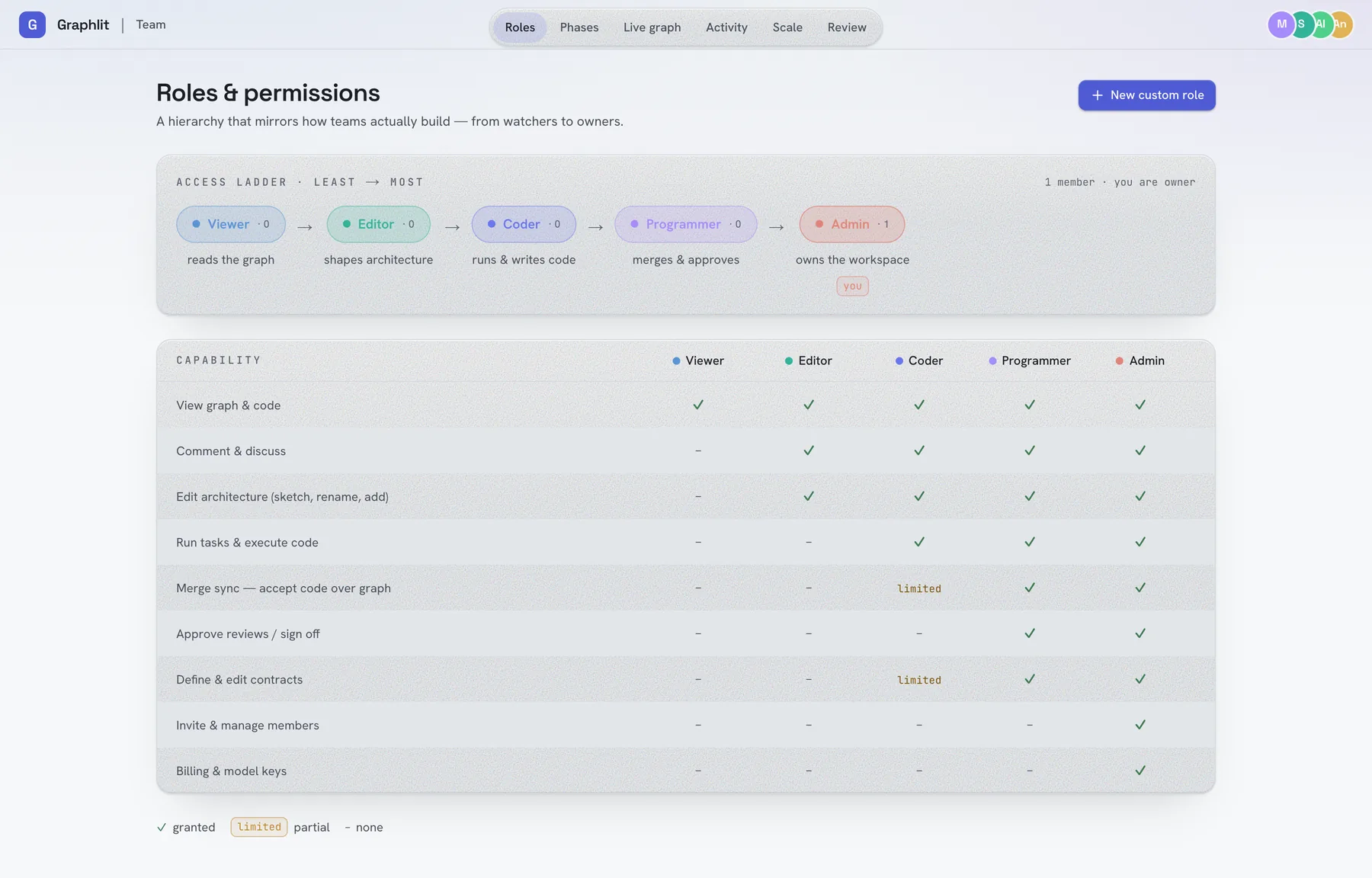
| Role | Can |
|---|---|
| Viewer | Read the graph and the code |
| Editor | …and comment, and shape the architecture: sketch, rename, add |
| Coder | …and run tasks and execute code; limited merge-sync and contract editing |
| Programmer | …and approve reviews, sign off, merge sync, define contracts |
| Admin | …and invite and manage members, billing and model keys |

Sharing a project with a teammate
Invite them to the organisation
Organisation → Members → Invite, with the role they should have. They accept in the browser; nothing is installed yet.
They clone the repository
.vipl/link.json is committed, so the checkout already knows which project it is and on which deployment. There is nothing to configure.
They run `graph setup`
Which signs their machine in. Because the folder is already linked, the second half is a no-op. graph status will confirm it.
They run `graph agent`
Now there are two terminals on the project, and either can pick up work.
Several terminals on one project
More than one graph agent can serve the same project from different machines. The board lists every connected terminal with its hostname and folder, so Execute can be aimed at a particular one: the machine that has the database running, or the one with the right credentials.
What cannot happen is two runners in the same folder: the second refuses, because two agents editing one working tree is a corrupted checkout, not parallelism.
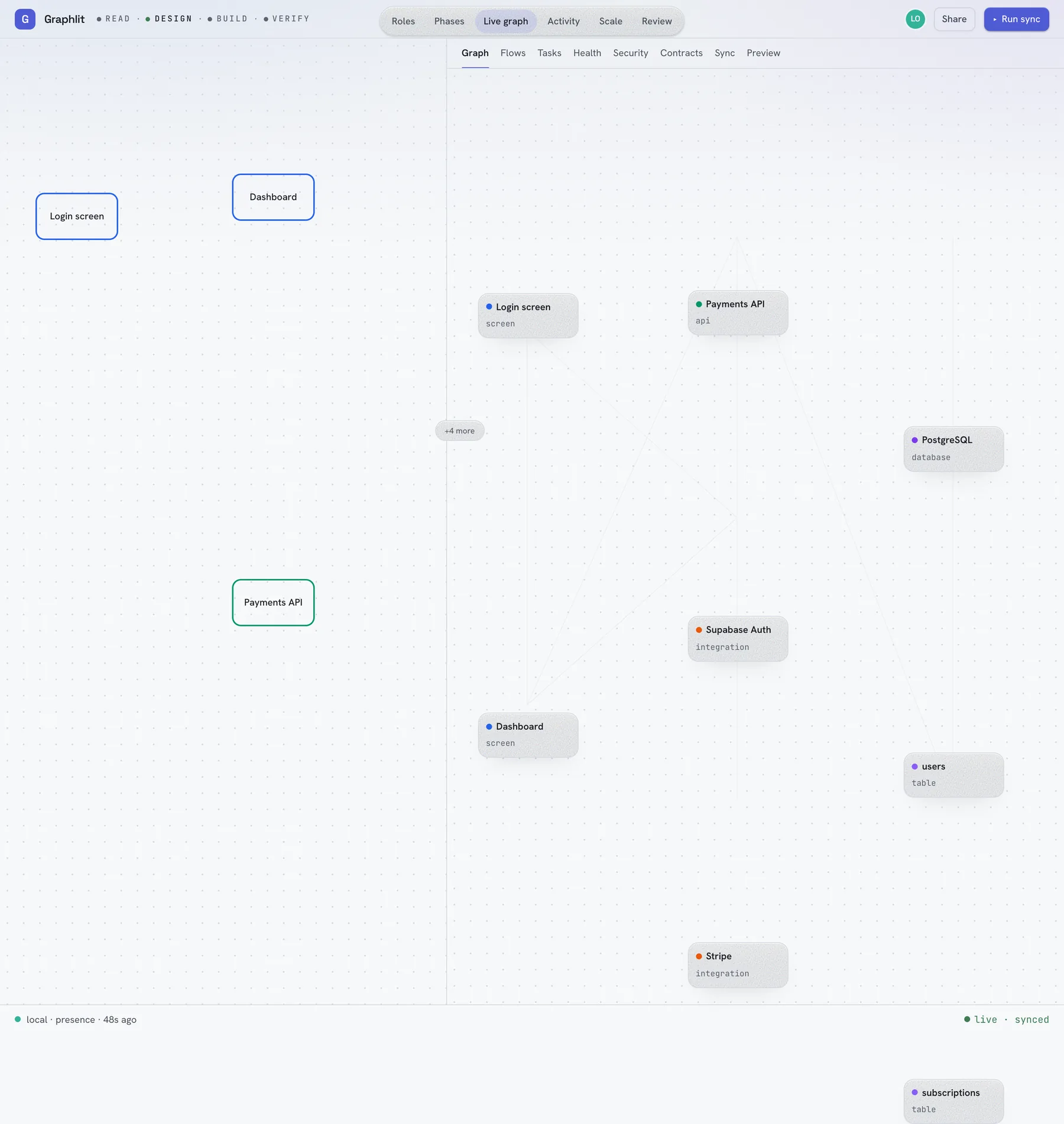
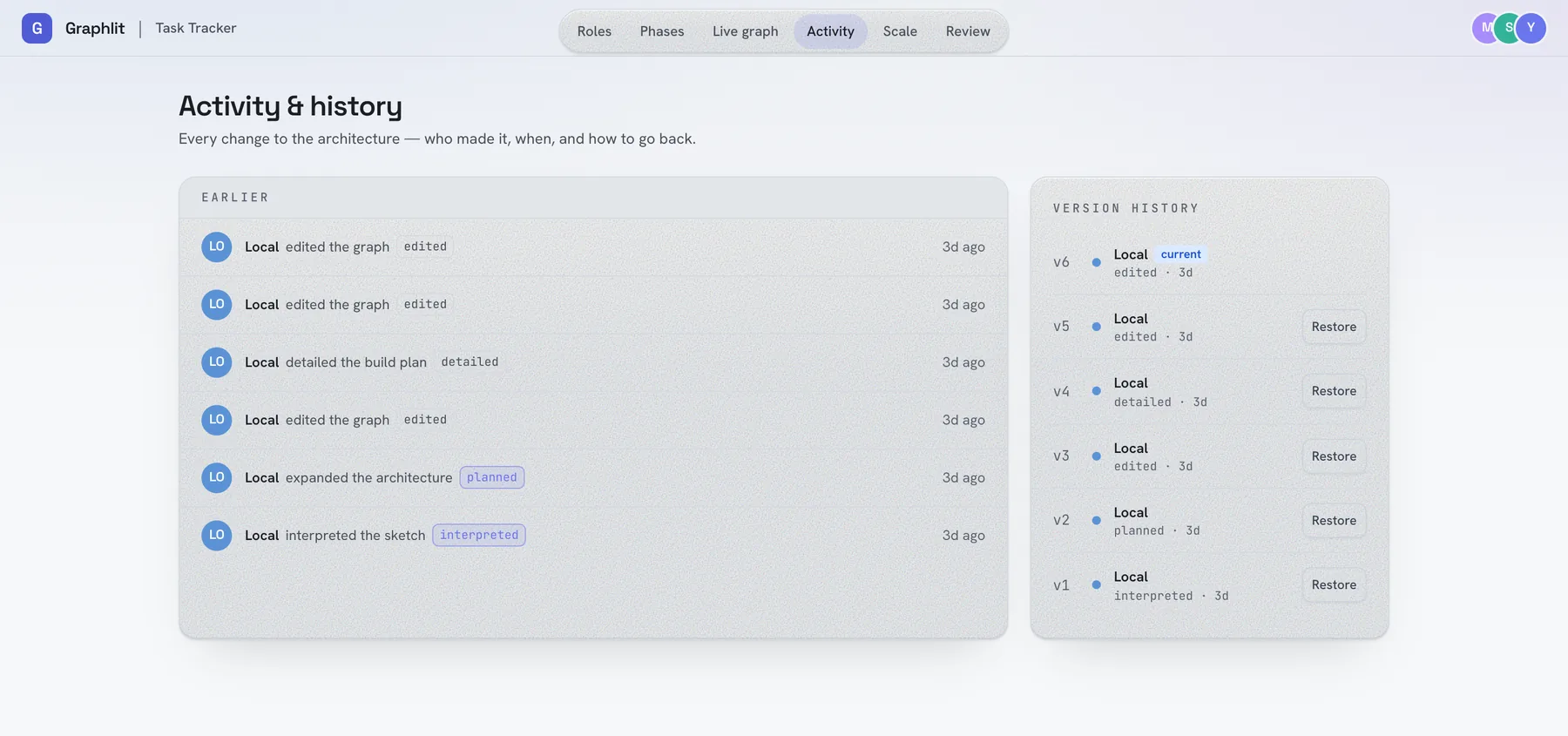
Seeing each other
Review and handoffs
Two screens exist for the moments when work passes between people rather than between machines.
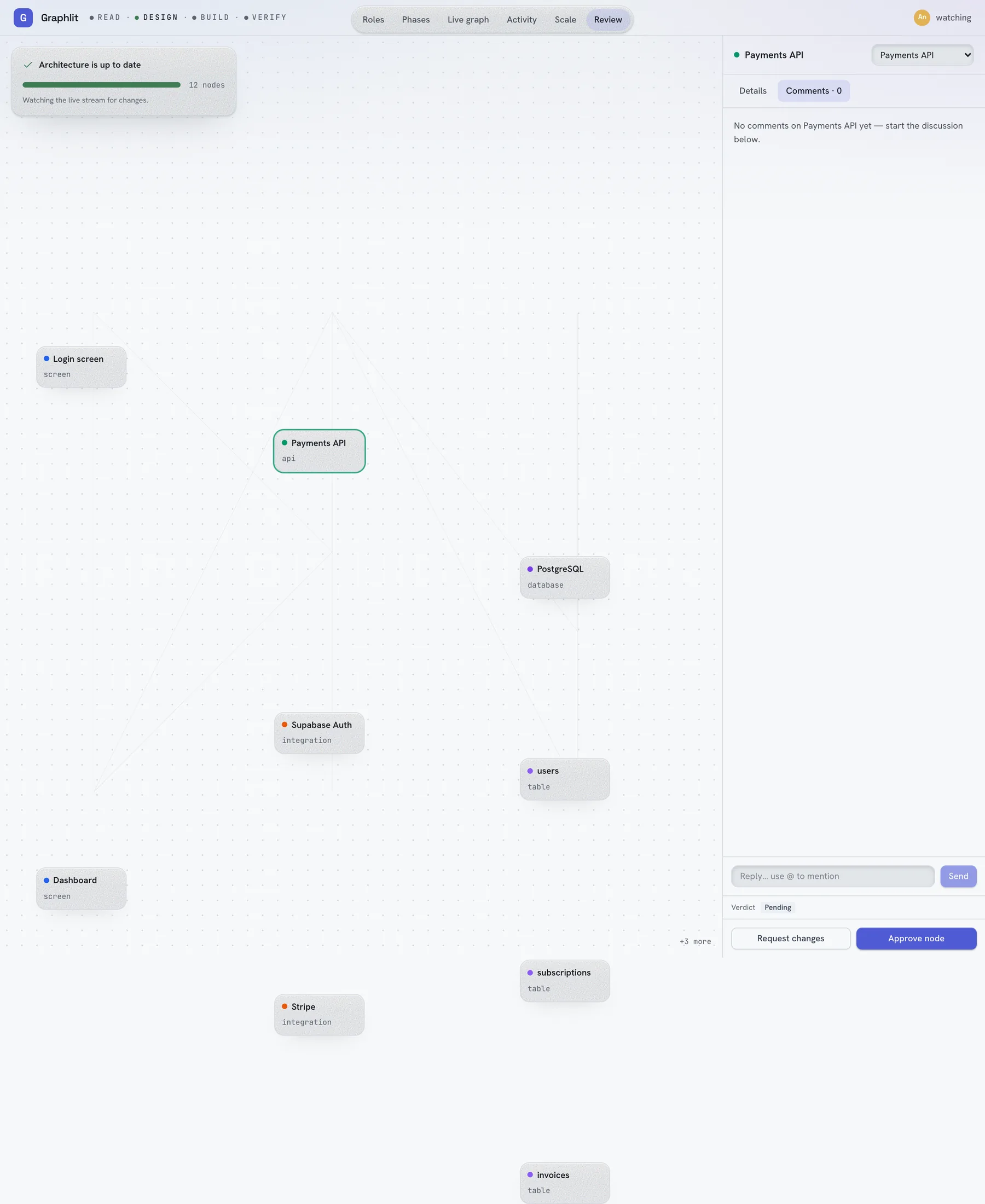
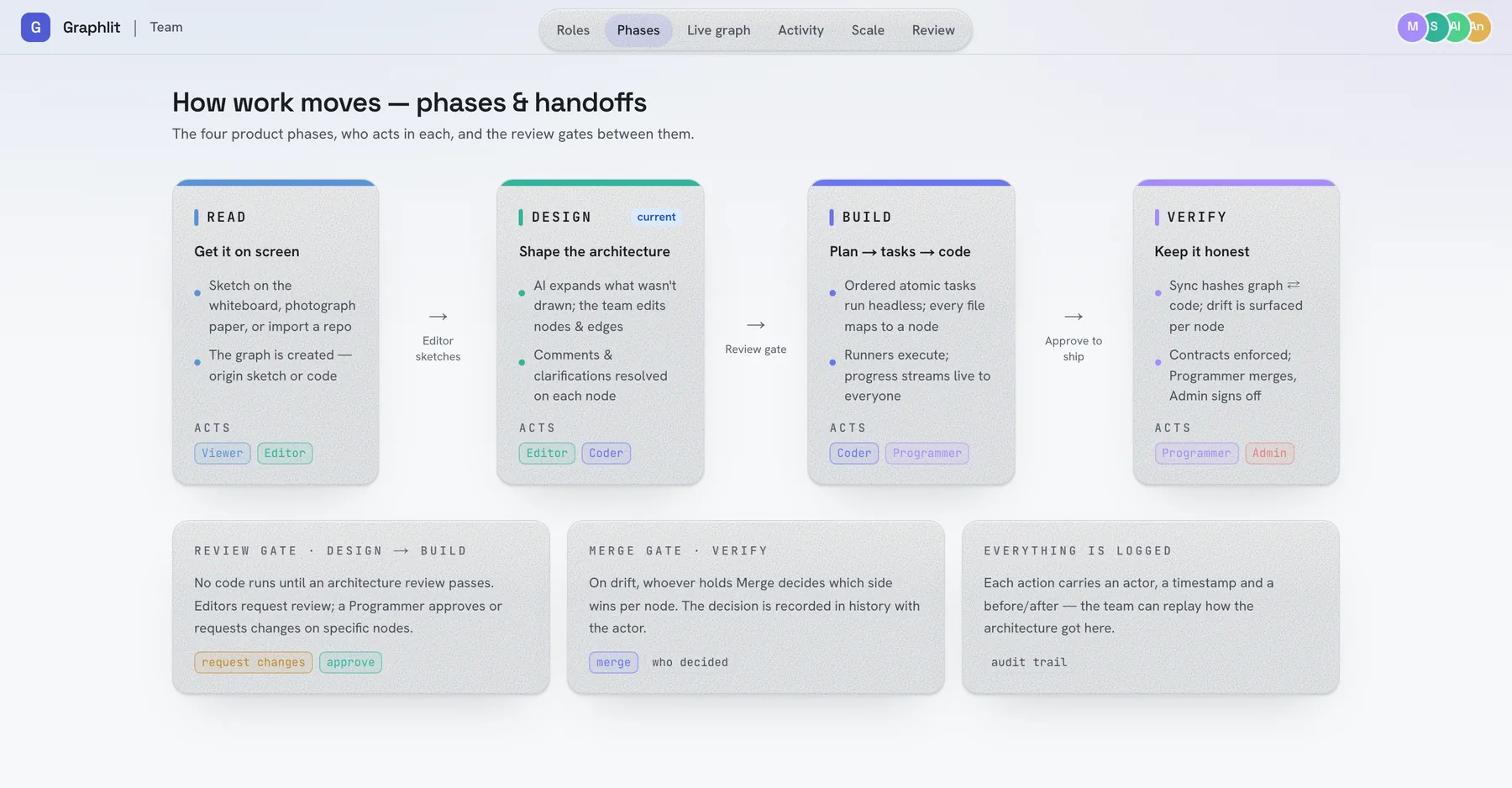
Working with people who will not install anything
- Share a link. Every panel is addressable, so a finding, a flow or a drifted node can be sent as a URL. One caveat today:
?project=is honoured for a slug id and silently dropped for a project still carrying thesketch-…id it was drawn under, which opens an empty board instead. Check the id ingraph projectsbefore sending the link. - Share the project read-only. A viewer needs no terminal and no local checkout to follow along.
- Let CI be the third participant.
graph checkon a pull request is an opinion nobody has to remember to ask for. See The API, tokens and CI.
Reviewing what an agent did
Every build is a commit in your own git history with the task in the subject line, so the normal review tools work. git show <sha> is the diff, graph undo is the revert, and the board's Activity panel is the record of who asked for it.