Documentation
Signing in
Two ways in: a browser you approve once, or a key you paste into CI. Neither puts a password on your disk.
The browser flow
graph login starts an OAuth device flow. The terminal asks the identity provider for a short code, opens your browser, and waits. You approve there; the terminal is handed a token. Your password never touches the CLI, and the terminal never sees it.
That recording used --no-browser, which prints the URL and code instead of opening anything. That is the form for a server over SSH, or a container. Without it the browser is opened for you and the code shown is the one to confirm on screen.
You approve on your identity provider's own consent screen, which names the scopes being granted. Nothing about your password passes through the terminal.
Who am I signed in as?
One machine can hold accounts on several deployments at once; whoami lists them all. graph --json whoami gives the same thing as data, including whether each was a browser sign-in or an API key.
API keys, for machines
CI has nobody to open a browser. Create a token in the dashboard under Organisation → API tokens. They are org-scoped, and the same tokens serve CI, the CLI and integrations. Then either sign in with it once, or hand it over in the environment.

# Sign in with a key, storing it like any other account
graph login --api-key

# Or hand it over per-invocation, storing nothing
VIPL_API_KEY=... graph check --project my-app
graph login --api-key with no value reads VIPL_API_KEY from the environment, or prompts without echoing. Passing the key as a command-line argument works too, and is the one form that ends up in your shell history. Prefer one of the other two.
Where the credentials live
| File | Holds | Mode |
|---|---|---|
~/.vipl/credentials.json | One entry per deployment: the token, its expiry, the refresh token | 600 |
~/.vipl/links.json | Which folders on this machine are attached to which project | 644 |
.vipl/link.json | This folder's project id and deployment. No secrets, so commit it | 644 |
$HOME, never in the repository, so git add -A in a public project cannot publish them.Tokens are refreshed silently when they are close to expiring. If the refresh fails (a revoked session, a provider that never issued one), the CLI sends the token it has and lets the API judge it, rather than refusing locally over a guess about the clock.
Signing out
graph logout                    # this machine, the default deployment
graph logout --api https://… # one deployment, leaving the others aloneLike whoami, this touches only the local store: it forgets the credential here. It does not end the session in your browser.
Organisations decide what you can see
Every project belongs to an organisation, and every request is answered inside the caller's. Two organisations can both have a project called Shop and never meet: the row filter and the workspace directory are separate walls, and both are enforced where the query runs rather than where it is written.
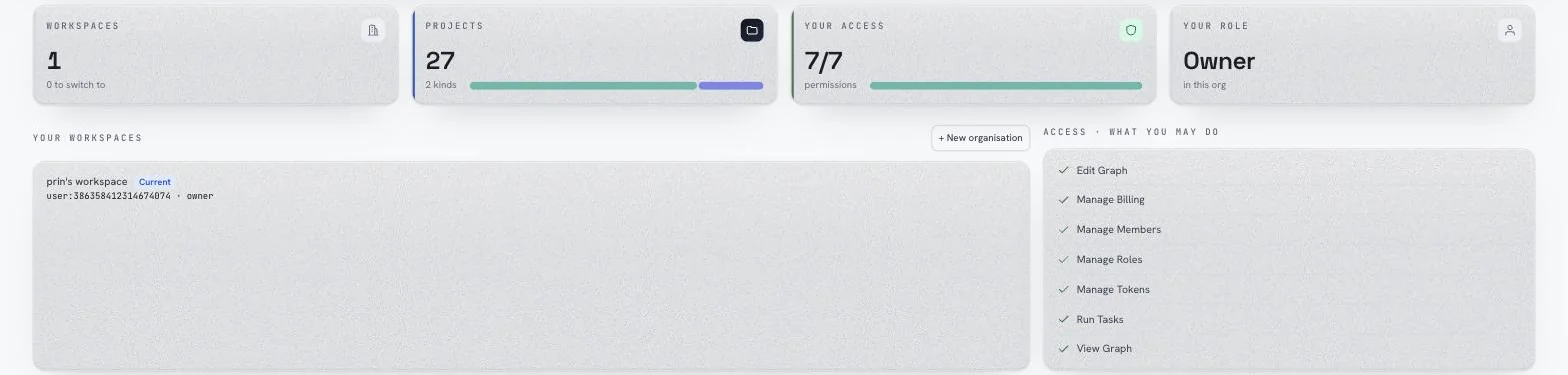
Roles are per-organisation and decide what the CLI is allowed to do. A viewer can watch a task run and cannot say it passed. See Working with other people.