Documentation
Maintaining a project
The first hour is drawing and building. Everything after it is keeping two things, a drawing and a codebase, from quietly disagreeing.
Bringing in code that already exists
You do not have to start from a drawing. Import code… on the board scans a repository and produces the graph from what is actually there: Next.js routes and screens, FastAPI endpoints, Prisma models and raw SQL schemas, with the edges between them.

There is no node cap. A large repository produces a large graph, and the view handles scale. The scanner never decides your system is too big to describe.
An import is also what makes the sync layer useful: once every node knows its files, graph drift has something real to compare.
Changing the architecture on purpose
Edit the graph
Add a node, retype an edge, delete a service that is gone. Either on the canvas or directly in the graph panel.
Regenerate: only what changed
The graph is diffed against the snapshot the last plan came from, and you get scoped tasks that touch only the mapped files of what moved.
Build the delta
Same loop as before: Execute with a terminal connected, or graph run.
Check that it holds
graph check: no drift, no health errors. That is the point at which the drawing is true again.
A weekly rhythm that works
| When | Do | Why |
|---|---|---|
| Every pull request | graph check in CI | Catches drift on the day it happens, not the month |
| After any hand-written refactor | graph drift | A refactor is exactly what moves code out from under the graph |
| Before planning new work | Import or sync | A plan made from a stale graph builds the wrong thing |
| When a scan gets noisy | Read the fingerprints | A finding you already judged stays recognisable; a new one is genuinely new |
| When somebody joins | Nothing | The link file is committed; they clone and run graph setup |
Projects, from the terminal
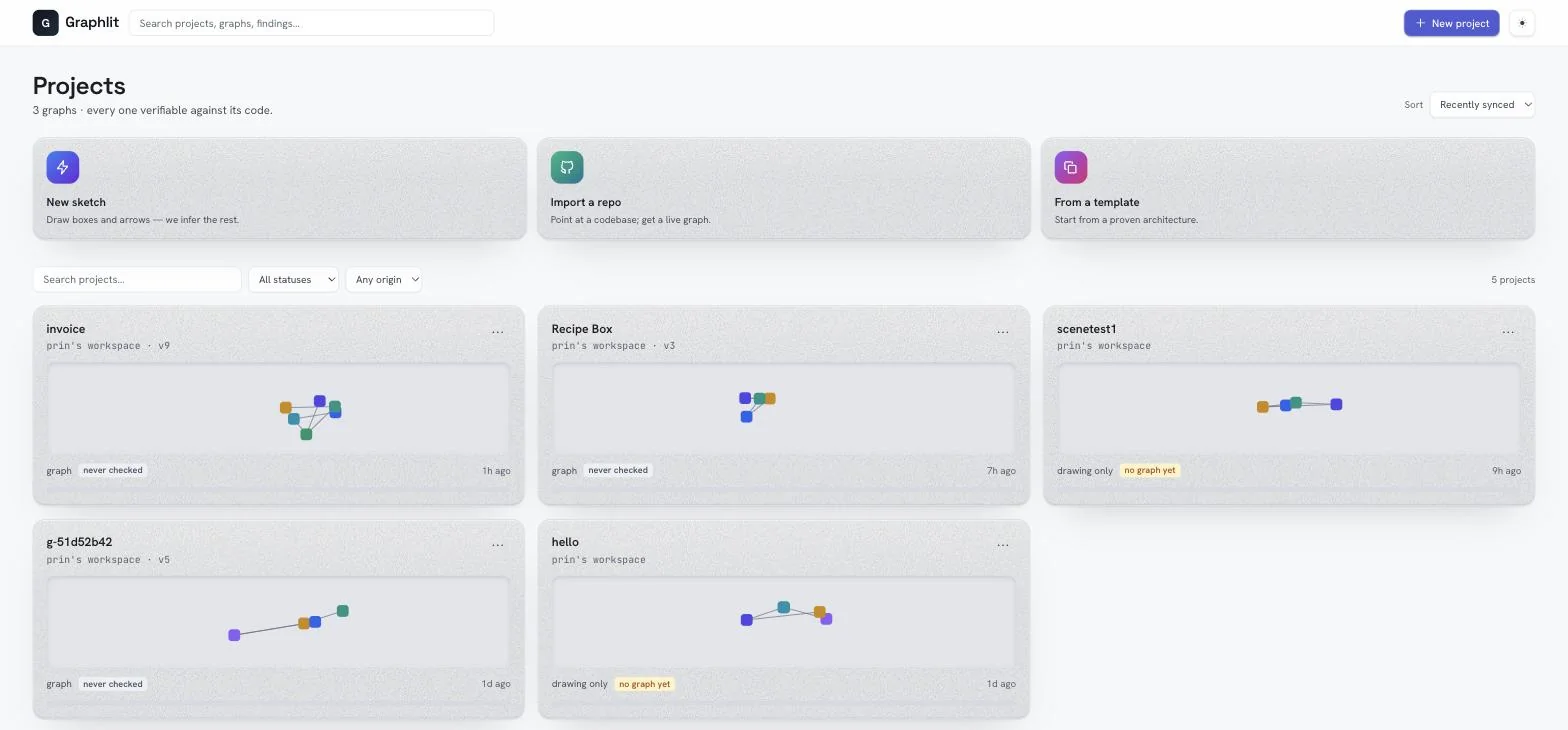
And from the browser, with the extra things a list needs: last touched, whether it has a graph, whether it is still only a drawing.
Whose model key pays
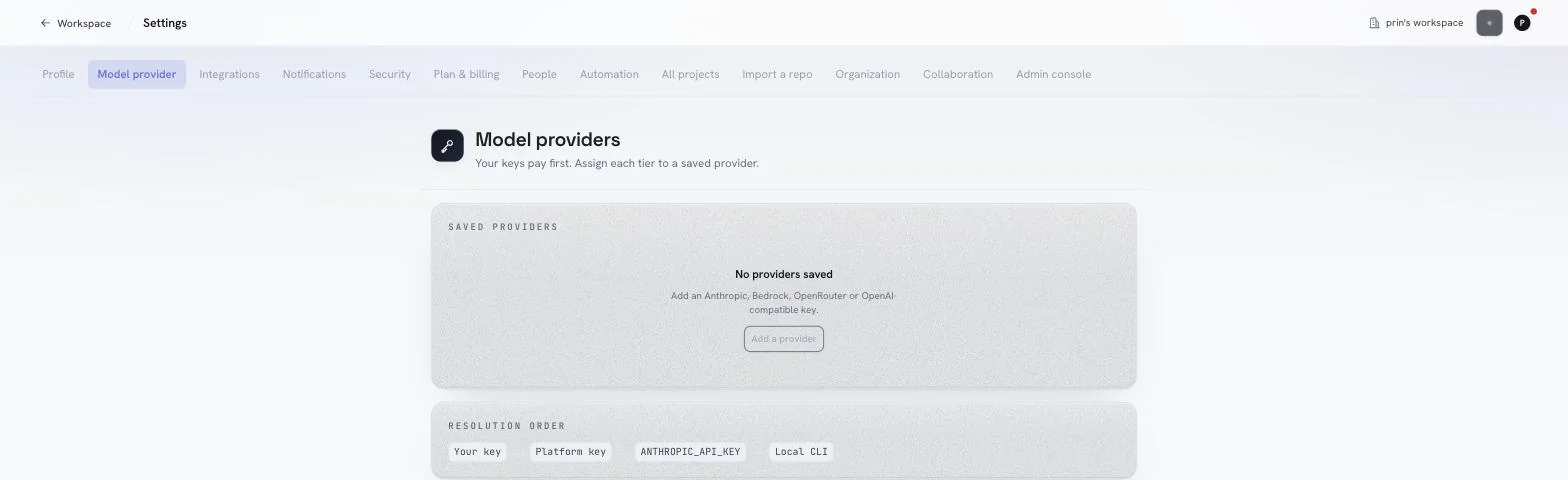
Interpretation, expansion and planning need a model. Bring your own key and it is your key that pays. That is the default, and it wins over anything the platform holds.
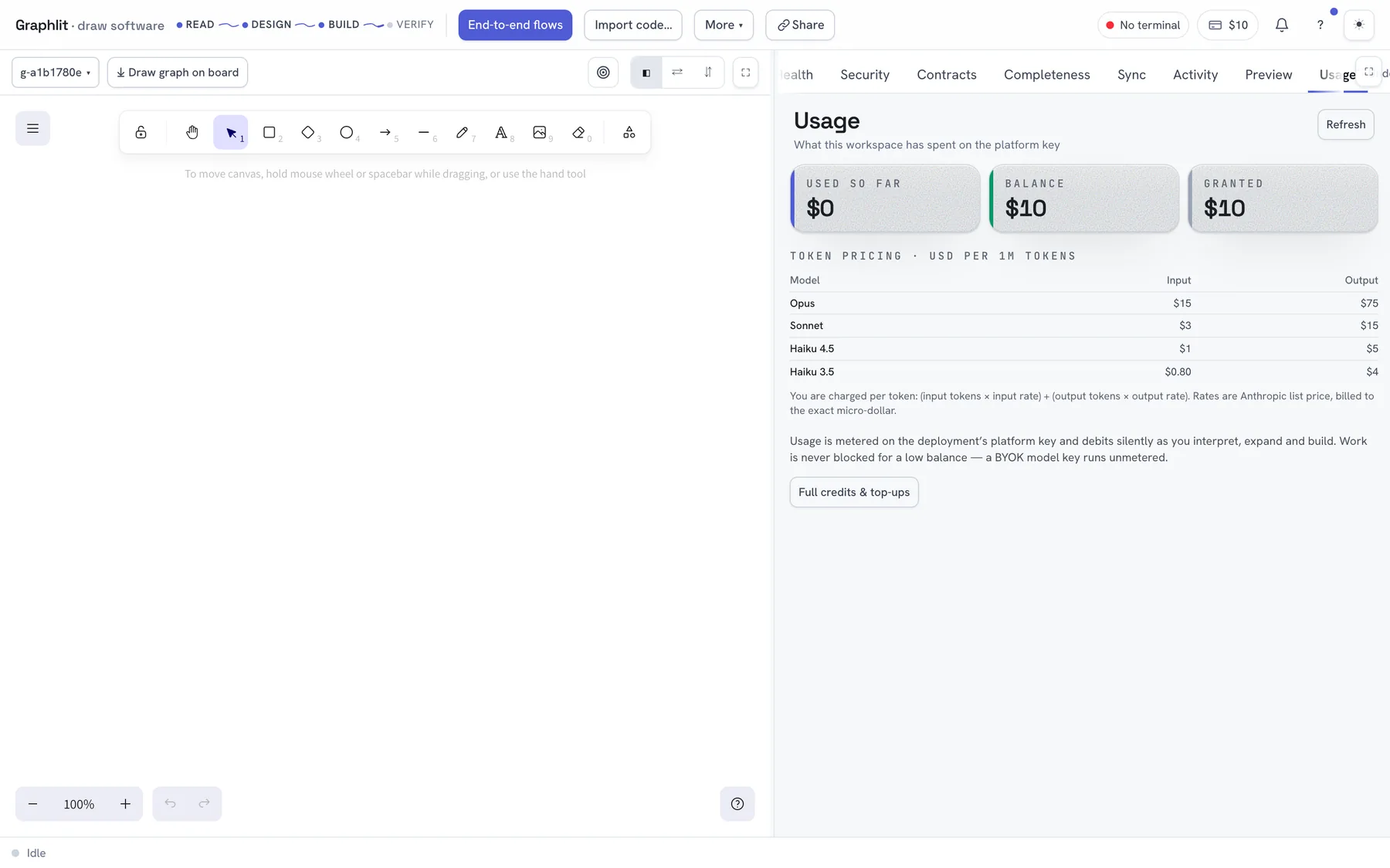
Spend is visible per project on the Usage panel, and per organisation under Account → Billing.
The catalogue
The rule packs behind the health and security scans are visible, keyed to OWASP categories, so a finding can be traced to the rule that produced it rather than being an opinion from nowhere.
Keeping the deployment itself
Graphlit is also self-hostable, and everything in these docs works against your own deployment: point the CLI at it with graph login --api https://your-host, or set it once with graph config api https://your-host. A deployment with no identity provider configured treats every request as the owner, which is the right behaviour on a laptop and the reason hosting it for other people makes the issuer mandatory at startup.