Documentation
How a build actually runs
The most surprising thing about Graphlit is where the code gets written. Not on a server: in your checkout, by your agent, under your login.
The shape of it
You press Execute on the board
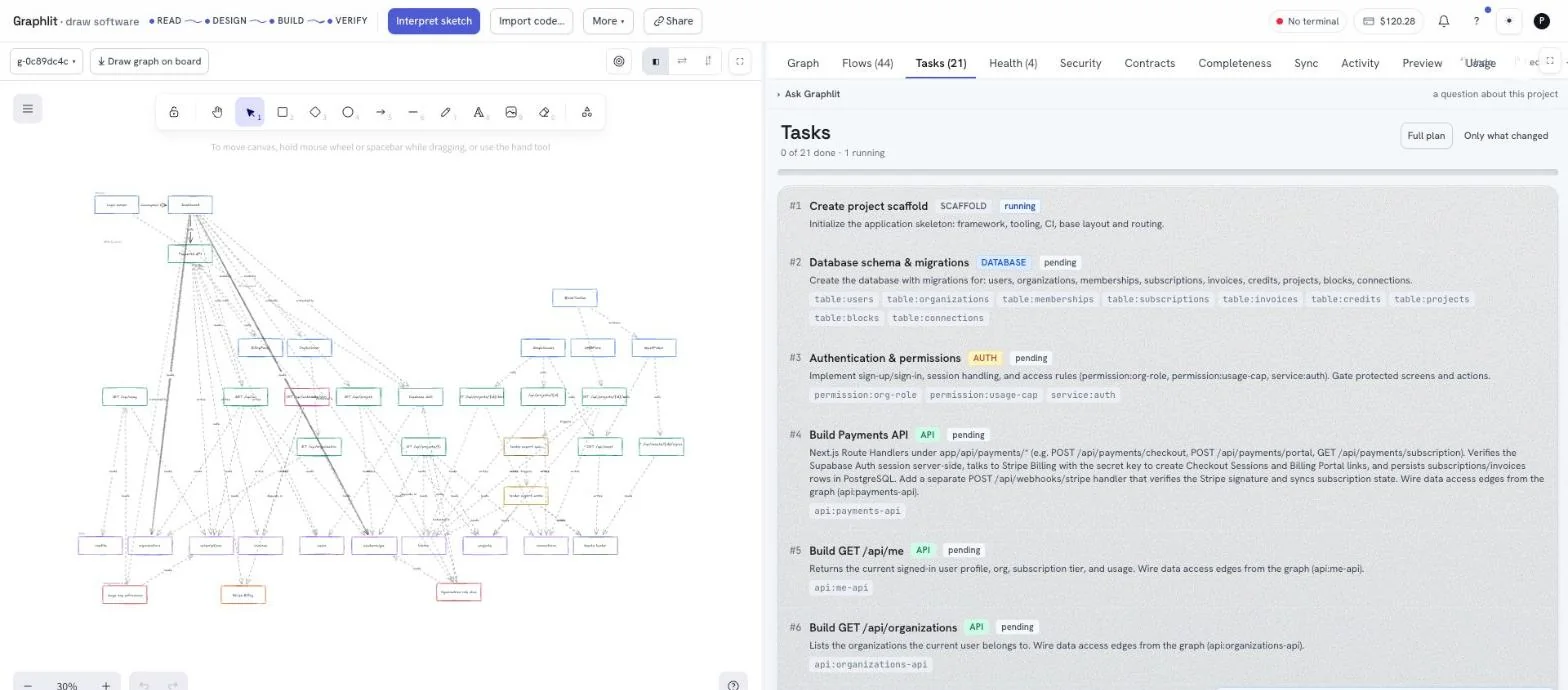
That enqueues a task on the deployment. It does not reach out to your machine. The deployment has no way to open a connection inward and never tries.
Your terminal claims it
graph agent polls outward, asking is there anything for me? — on an interval the deployment chooses and tells it, so the client never hard-codes a number that turns out to be wrong. Every connection is made by your machine. No port is opened, no firewall rule is needed, and nothing is listening.
The server renders the goal
There is exactly one goal format in the product, and it is server code. The runner sends the graph, the node→file mapping and the task it holds locally, and gets the identical prompt back. It never writes a prompt of its own — if the server cannot render one, the task fails loudly rather than running a guess.
Your agent writes the code
The runner shells your coding agent — claude by default, codex if you prefer — headless, in the linked folder. You watch it work, line by line, in the terminal.
What changed is checked, committed and reported
The files the agent touched are compared against the files the task owns. The result is committed to the project's own git history and the outcome is sent back, so the board turns the row green while you are still looking at it.
Connecting the terminal
In a linked folder, run it and leave it up. Ctrl-C stops it, and the failure mode of stopping is that nothing happens — the only correct one for a thing that runs an agent on your computer.
graph agent--all | Serve every project linked on this machine at once. |
--project a,b | Serve just these linked projects — ids or names, comma-separated. |
--path DIR | The linked folder. Defaults to the current directory. |
--api URL | The deployment. Defaults to what the folder's link says. |
graph --json agent | Headless: no live view, one line per finished task. --json is global and goes before the command. |
A folder holds one runner at a time. A second graph agent in the same directory refuses rather than starting, so two agents can never edit the same files at once.
The board shows what is connected. When the indicator is green, Execute has somewhere to go; when it is not, the button says so rather than queueing work nobody will claim.
Which agent writes the code
Graphlit does not ship a coding model of its own for this step and does not call one over an API. It shells the coding CLI already installed on your machine, in your project folder, headless.
| `graph config agent` | What is run | Live view |
|---|---|---|
claude (default) | claude -p <goal> --output-format stream-json --verbose --permission-mode acceptEdits | Yes — every tool call is narrated as it happens |
codex | codex exec <goal> | No — it runs buffered and reports at the end |
graph config agent codex, or per build with graph run --agent codex.- It uses your own login. Whatever subscription or key that CLI is already signed in with is what pays and what the run is attributed to. Graphlit does not need a model key for this step, and does not have one.
- `--permission-mode acceptEdits` is not optional. Without it the agent stops to ask for an approval nobody is sitting at the terminal to give, and the run hits its timeout looking exactly like a hang.
- *Every `VIPL_` variable is stripped** from the child's environment. Your agent gets your shell, not this process's credentials.
- It runs in the linked folder, so the agent sees your real tree — your
AGENTS.md, your lockfile, the code the last task wrote. - If the binary is missing the task fails immediately with `claude` is not installed on this machine — install it and press Execute again, rather than timing out fifteen minutes later.
- If `git` is missing the build still runs and warns that changes will not be committed.
What the runner does with the folder
- 01Syncs, if the folder is empty. A freshly scaffolded project is pulled down once as a zip — source, not
node_modules. - 02Renders the goal from the state your machine currently holds, so it reflects what earlier tasks already built rather than what the plan predicted.
- 03Runs the agent with a timeout — fifteen minutes by default. That is generous on purpose: the thing being guarded against is a wedged process, not a slow one.
- 04Compares what changed against the files the task owns.
- 05Commits with a subject naming the task, using your git identity when it is set.
- 06Reports the verdict, the files, and the commit sha.
The scope guard
Each task owns a set of nodes, and each node maps to files. After the agent stops, the runner diffs the folder and checks what actually moved. A task that edits a file outside its own scope does not silently pass — the run is reported with the violation named, and the commit is there to look at or put back.
  ✗ t002 did not pass.
    It changed files the task does not own: prisma/migrations/20260820000000_init/migration.sql

  Look at it:  git show a7f17a95
  Put it back: graph undo
Try again: graph run t002Building without the board
graph run builds one task in this folder, now, through the same path the runner uses — same goal, same scope enforcement, same commit, same report. No browser needed, and the board still finds out because the result is pushed to it.
graph run              # the next unblocked task
graph run t004         # a specific one
graph run --all        # the rest of the plan, task after task
graph run --force # even though something it depends on is unfinished--next | The next unblocked task. The default when no id is given. |
--all | Build every remaining task in order, stopping at the first failure. Run it again to resume — this is how a plan is finished without a browser. |
--force | Run it even though a task it depends on has not finished. |
--agent claude|codex | Which agent to shell. Defaults to graph config agent. |
--timeout SECONDS | How long to let it run. Defaults to graph config timeout (900). |
--push / --no-push | Push to the git remote when it passes. Defaults to graph config push (off). |
--project ID | Override the folder's link. |
Undoing a build
graph undo reverts the last build commit and puts its task back to pending, so the plan is runnable again. It shows you what it is about to undo and asks first.
Choosing the agent, once
Anything you would otherwise pass as a flag every time is a setting. graph config prints all of them, their values, and which layer decided — because a value that is set here and overridden by an environment variable looks, from every other command, like configuration being ignored.
| Setting | Default | What it does |
|---|---|---|
agent | claude | Which agent graph run shells to write the code (claude or codex) |
timeout | 900 | Seconds to let one task's agent run before giving up |
verify | true | Run the project's own build script after a task and fail the task if it breaks. The scope guard checks which files changed; this checks whether they compile |
push | false | Push to the git remote after a task passes |
api | (not set) | The deployment to talk to when nothing else says. VIPL_API outranks it |
color | auto | Colour and animation in the output. VIPL_COLOR outranks it |